Digital Equity Strategy: 7 Proven Steps to Build a More Equitable Classroom Today
A practical digital equity strategy helps schools close access gaps and build a genuinely equitable classroom, starting today.
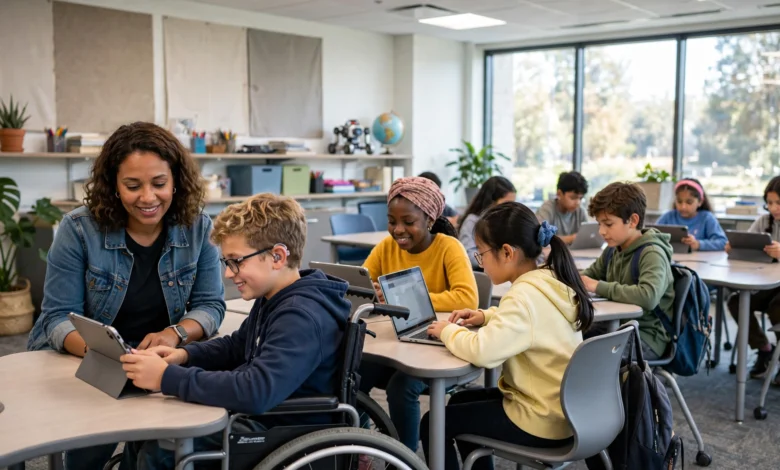
Every teacher has felt it: the quiet gap between the student who has a laptop and reliable Wi-Fi at home and the one who doesn’t. That gap doesn’t stay quiet for long. It shows up in missed assignments, in who participates confidently and who shrinks back, and eventually in who keeps up and who falls behind. A solid digital equity strategy is how schools close that gap on purpose instead of hoping it closes itself.
This isn’t just about handing out more devices, though devices matter. Building a genuinely equitable classroom means looking at access, skills, content, and support together, and treating each one as part of the same plan. Schools that do this well don’t wait for a grant or a crisis to force their hand. They build the strategy piece by piece, starting with what they already have.
In this article, we’ll walk through what a digital equity strategy actually looks like in practice: how to assess where your school currently stands, what steps close the most common gaps, how to choose tools that don’t quietly create new inequities, and how to keep the whole plan moving instead of stalling after the first semester. Whether you’re a classroom teacher, an instructional coach, or a district administrator, you’ll find concrete steps you can start using this week, not just ideas to file away for later.
What Is a Digital Equity Strategy, and Why Does It Matter Now
A digital equity strategy is a deliberate plan for making sure every student has fair access to the technology, connectivity, skills, and support needed to learn and participate fully. It’s different from a general “edtech plan” because it starts from the gaps, not from the tools. You’re not asking “what’s the newest app we should buy?” You’re asking “who is currently locked out, and what do we need to fix that?”
This matters more now than it did five years ago. Classrooms have quietly become dependent on digital tools for basic functions: turning in homework, checking grades, communicating with teachers, even taking tests. When access to those tools is uneven, the unevenness stops being a minor inconvenience and starts shaping outcomes.
According to the Digital Promise digital equity framework, true digital equity rests on three pillars working together: availability of devices and connectivity, affordability for families, and the skills to actually use the technology well. Missing any one of these pillars undermines the other two. A student with a laptop but no internet at home is still stuck. A student with internet but no training in how to use school platforms is still behind.
The Three Divides Schools Need to Address
Recent federal guidance frames the problem around three overlapping divides:
- The access divide – Do students have consistent, reliable devices and internet, both at school and at home?
- The design divide – Is the technology and curriculum built with diverse learners in mind, or does it assume a “typical” student who doesn’t struggle with connectivity, language, or disability?
- The use divide – Are students using technology actively, to create and problem-solve, or only passively, to watch and click through worksheets?
A strategy that only tackles the first divide (buying more laptops) while ignoring the other two will still leave an equitable classroom out of reach.
Step 1: Start With an Honest Access Audit
Before writing a single goal, find out what’s actually true in your building. Most schools assume they know their access gaps, and most are wrong about the details.


- Survey families directly about device ownership, internet reliability, and shared-device households (a laptop shared between three siblings is not the same as one laptop per student).
- Check which students rely on mobile data only, since assignments built for broadband can silently fail on a phone plan.
- Ask teachers where digital tools break down in daily practice, not just in theory.
This audit becomes the foundation of your entire digital strategy. Skipping it means guessing, and guessing usually means over-investing in the problems that are easiest to see and under-investing in the ones that actually hurt students most.
Step 2: Close the Device and Connectivity Gap Deliberately
Once you know where the gaps are, close them with intention rather than a blanket “one device for everyone” purchase.
- Prioritize devices for households with no current access before upgrading devices for households that already have something workable.
- Explore low-cost or subsidized internet programs through local providers, since connectivity is often the harder half of the problem to solve compared to hardware.
- Keep a small pool of loaner devices and hotspots on hand for families dealing with a broken laptop or a lapsed internet bill, so a temporary problem doesn’t turn into weeks of missed work.
This is where a digital equity strategy earns its name: it treats access as infrastructure, something maintained continuously, not a one-time purchase that gets forgotten after the ribbon-cutting.
Step 3: Build Digital Skills Alongside Access
Giving a student a laptop without teaching them how to use it for schoolwork is like handing someone a car with no lessons. Skills need their own deliberate plan.
- Teach basic digital literacy explicitly in the first weeks of the year: logging into the learning management system, submitting files in the right format, using email appropriately.
- Offer short family workshops, in person or recorded, on how to check grades, message teachers, and support homework using school platforms.
- Pair students who are comfortable with technology with those who aren’t, so peer support becomes part of the classroom culture rather than an afterthought.
This step is often the one schools skip, and it’s a mistake. Devices without skills training just create a different kind of gap: one where a student technically has the tool but still can’t use it confidently.
Step 4: Choose Tools That Don’t Create New Inequities
Not every popular edtech tool actually supports an equitable classroom. Some quietly assume things that aren’t true for every student: fast home internet, a quiet space to work, fluent English, or a parent available to help.
When evaluating a new tool, ask:
- Does it work reliably on low bandwidth, or does it require a strong, constant connection?
- Is it available in the languages your families speak, or does it assume English proficiency?
- Does it work on a phone, since many families’ primary device is a smartphone rather than a laptop?
- Does it require paid add-ons or subscriptions that some families can’t afford?
Tools that fail these questions don’t need to be banned outright, but they shouldn’t be the backbone of your instruction if a meaningful share of your students can’t use them fully.
Universal Design as a Practical Filter
Universal Design for Learning (UDL) gives teachers a practical filter for this. Instead of designing one lesson and then adding accommodations later, UDL asks teachers to build in multiple ways for students to access content and show what they know from the start. This approach naturally supports an equitable classroom because it assumes variation is normal, not an exception to handle case by case.
Step 5: Make Active Use the Default, Not the Exception
Passive technology use, watching videos, clicking through slides, filling in digital worksheets, tends to widen gaps rather than close them, because it rewards students who are already comfortable and motivated. Active use, where students create, collaborate, and problem-solve with technology, tends to level the field because it gives every student something real to build.
Practical ways to shift toward active use:
- Replace passive video-watching with short, embedded questions that require a response before continuing.
- Give students choice in how they demonstrate learning: a written response, a recorded explanation, a simple visual, or a short project.
- Build in regular opportunities for students to create something (a slide, a short video, a written argument) rather than only consume content.
This shift matters for inclusive classrooms specifically, because active tasks give teachers more natural opportunities to offer multiple paths to the same learning goal.
Step 6: Involve Families as Partners, Not Afterthoughts
A digital equity strategy that only reaches students during school hours misses half the problem, since so much digital learning now happens at home.
- Send communication in the languages families actually speak, not just English with a translation link attached.
- Offer flexible times for tech support conversations, recognizing that many parents work outside standard school hours.
- Ask families directly what’s getting in the way, rather than assuming you already know.
Families who feel like partners in the strategy are far more likely to flag problems early, before a struggling student falls too far behind to catch up easily.
Step 7: Measure, Adjust, and Keep the Strategy Alive
The biggest reason digital equity plans fail isn’t a bad first draft. It’s that they get built once and never revisited.
- Set a simple schedule (each semester works well) to repeat the access audit and check what’s changed.
- Track which students are still struggling to submit work digitally, and look for patterns rather than treating each case as isolated.
- Ask teachers what’s working and what’s quietly not, since frontline observations catch problems that dashboards miss.
A strategy that gets revisited regularly stays honest. One that gets written and shelved slowly drifts out of touch with what students actually need.
Common Mistakes That Undermine an Equitable Classroom
Even well-intentioned schools stumble in predictable ways:
- Treating one-time device distribution as the whole strategy, instead of an ongoing commitment to access.
- Assuming reliable home internet when planning homework and assessments.
- Choosing flashy tools over accessible ones, prioritizing features over whether every student can actually use them.
- Skipping family input, then being surprised when adoption is uneven.
- Never revisiting the plan, so it becomes outdated within a year or two.
Avoiding these mistakes is often more valuable than adding new technology, since fixing what’s broken usually matters more than adding what’s shiny.
Building Toward a Genuinely Equitable Classroom
None of this requires a massive budget on day one. A school with limited resources can still make real progress by starting with an honest audit, fixing the most urgent access gaps first, and building digital skills training into the first weeks of the school year. What matters more than budget is consistency: a strategy that gets checked, adjusted, and taken seriously term after term.
The Learning Accelerator’s guide to digital equity in the classroom puts it well: giving students more choice over how, when, and where they learn is one of the most effective ways to address the barriers that block full participation. That kind of flexibility, built on a foundation of real access and real skills, is what turns a technology rollout into an equitable classroom students can actually rely on.
Conclusion
Building a more equitable classroom starts with an honest look at where students currently stand, then moves through deliberate steps: closing device and connectivity gaps, teaching digital skills alongside access, choosing tools that don’t quietly exclude anyone, favoring active learning over passive consumption, involving families as real partners, and revisiting the plan regularly so it doesn’t go stale. A thoughtful digital equity strategy isn’t a single purchase or a one-time initiative. It’s an ongoing commitment that treats every student’s access to learning as something worth protecting and improving, today and every semester after.