Responsible Use of AI in the Classroom: 7 Practical Rules Every Teacher Should Know
Responsible use of AI in the classroom means clear rules, honest conversations, and tools that support learning, not replace it.
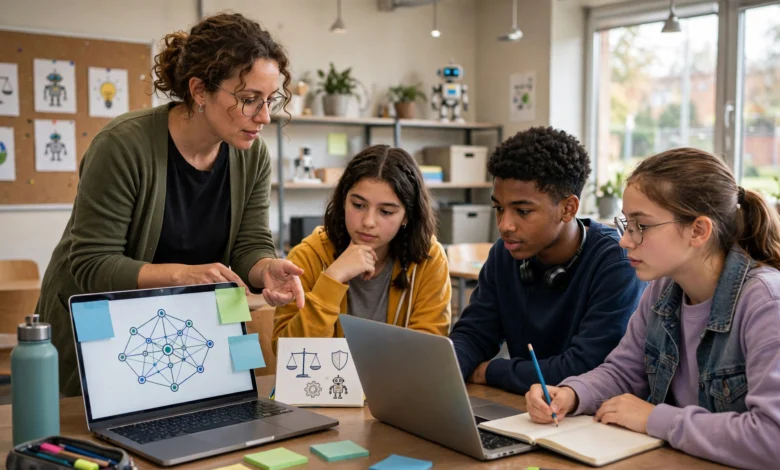
Responsible use of AI in the classroom is quickly becoming one of the most pressing questions teachers face. A few years ago, the biggest classroom technology debate was whether phones should be allowed during class. Now teachers are asking something much bigger: how do you let students use tools like ChatGPT, Gemini, or Copilot without losing the point of school in the first place?
There’s no single switch to flip here. Some teachers have banned AI outright, only to find students using it anyway, quietly, without any guidance on how to do it well. Others have gone all in, only to notice students leaning on AI so heavily that their writing and thinking skills start to slide. The truth sits somewhere in the middle, and it depends heavily on how thoughtfully a teacher sets the ground rules.
This guide walks through what responsible AI use actually looks like in a real classroom, not in theory, but in the day-to-day decisions teachers make about lesson planning, grading, academic honesty, and student privacy. You’ll get practical principles, a framework for building your own classroom AI policy, and ideas for teaching students to use these tools with judgment rather than blind trust. Whether you’re new to AI in education or already experimenting with it, this article should give you a clearer path forward.
What Does Responsible Use of AI in the Classroom Actually Mean?
Responsible use of AI in the classroom isn’t about being anti-technology or pro-technology. It’s about making sure AI tools support learning outcomes instead of quietly replacing them. When a student asks an AI chatbot to explain a concept they’re stuck on, that’s support. When a student asks the same chatbot to write their entire essay, that’s a shortcut around the actual point of the assignment.
At its core, responsible AI use in education rests on a few ideas:
- Transparency — students and parents know when and how AI tools are being used.
- Human oversight — a teacher, not an algorithm, makes the final call on grades, feedback, and instructional decisions.
- Data privacy — student information isn’t fed into tools that store or sell it without consent.
- Academic integrity — AI use is disclosed, not disguised as original work.
- Equity — access to AI tools doesn’t create a new gap between students who can afford premium tools and those who can’t.
None of this means AI has to be treated as a threat. Used well, it can save teachers hours on lesson planning and give students a patient tutor available at 9 p.m. when homework help isn’t. The goal is simply to use it on purpose, with a plan, rather than letting it seep into classroom routines unnoticed.
Why Responsible AI Use Matters for Teachers and Students
It’s worth pausing on why this is worth the effort. A few reasons keep coming up in schools that have already gone through this:
- Trust breaks down fast without clear rules. If students don’t know what counts as cheating, some will guess wrong, and the fallout (accusations, failed grades, damaged trust) tends to be worse than if the line had just been drawn clearly from day one.
- Skill gaps show up later. A student who has AI write every essay for three years doesn’t develop the same writing muscle as one who used AI to brainstorm and then wrote the draft themselves. That gap becomes visible in college or on standardized tests.
- Data privacy laws still apply. Many free AI tools are not compliant with student privacy regulations like FERPA in the United States. Uploading student names, grades, or IEP details into a public chatbot can create real legal exposure for a school.
- AI can widen or narrow equity gaps. Students with paid AI subscriptions, faster internet, or tech-savvy parents may get more benefit unless a teacher actively levels the playing field in class.
The UNESCO Guidance for Generative AI in Education and Research puts it plainly: the goal should be a human-centered approach that protects data privacy and builds teacher capacity, not one where technology drives decisions on its own <cite index=”6-1″>based on a humanistic vision that proposes key steps to regulate generative AI tools, including protecting data privacy and setting age limits for independent conversations with these platforms</cite>. That framing is a useful compass for any classroom policy.
Key Principles for Responsible Use of AI in the Classroom
Transparency With Students and Parents
Students should never be guessing about whether AI use is allowed on a given assignment. Spell it out per task, not just once at the start of the year. A simple color-coded system works well:


- Green light — AI is allowed for brainstorming, outlining, or checking grammar.
- Yellow light — AI is allowed for specific parts of the task, but must be cited.
- Red light — no AI at all; this assignment measures your own unaided skill.
Parents benefit from this clarity too. A short note home explaining your classroom’s AI policy heads off a lot of confusion and prevents the awkward situation where a parent helps their child use AI on an assignment that was meant to be AI-free.
Protecting Student Data and Privacy
This is one of the easiest principles to overlook and one of the most important. Before using any AI tool with students, or feeding student work into one for grading help, check:
- Does the tool require a student to create an account with personal information?
- Does the company’s privacy policy say what happens to submitted data?
- Is the tool approved by your school or district’s technology office?
Student data privacy should never be an afterthought. Many districts now maintain an approved vendor list specifically because so many AI tools were never designed with FERPA or COPPA compliance in mind. If you’re unsure, ask your IT department before rolling a new tool out to a class.
Maintaining Academic Integrity
Academic integrity policies written before 2022 usually don’t mention AI at all, which leaves a lot of gray area. Update your syllabus or classroom expectations to name AI specifically:
- Define what counts as “AI-assisted” versus “AI-generated.”
- Require citation when AI tools are used, similar to citing any other source.
- Explain the consequences clearly, and apply them consistently.
It also helps to talk with students about why this matters, not just what the rule is. Students are far more likely to follow a policy they understand than one that just feels like an arbitrary line.
Keeping Human Judgment at the Center
AI can suggest a grade, draft feedback, or flag a possible error, but the final decision should always sit with the teacher. This matters for a few reasons: AI tools can be wrong, they can carry biases from their training data, and they don’t know your students the way you do. A struggling reader who makes an unusual grammar choice on purpose, to convey voice, might get flagged incorrectly by an automated tool that doesn’t understand context.
Treat AI output the way you’d treat a suggestion from a new colleague: worth considering, but never final without your own review.
Practical Ways Teachers Can Use AI Responsibly
Lesson Planning and Differentiation
This is where AI tends to save teachers the most time with the least risk. Reasonable uses include:
- Generating a first draft of a lesson outline, then editing it to fit your actual students.
- Creating differentiated versions of a reading passage for different skill levels.
- Drafting discussion questions or exit tickets aligned to a specific standard.
- Producing quick practice problem sets for review.
The key is treating AI output as a rough draft, not a finished product. It rarely gets your specific classroom context right on the first try.
Grading and Feedback
AI can speed up feedback on lower-stakes assignments, like flagging grammar issues on a rough draft or suggesting areas where an explanation is unclear. It should not be the sole grader on high-stakes work like final essays, projects, or anything tied to a major grade, both because of accuracy concerns and because students deserve a human reader for work that took real effort.
A workable middle ground many teachers use:
- Let AI do a first-pass scan for obvious errors on drafts.
- Review flagged issues yourself before returning them to students.
- Write your own substantive comments on content, argument, and voice.
- Reserve full manual grading for final submissions.
Personalized Learning Support
AI tutoring tools can give students extra practice outside class hours, especially useful for students who don’t have access to a tutor or a parent who can help with homework. Set clear boundaries here too: AI should explain concepts and offer practice, not simply hand over answers. Many AI tools now have a “tutor mode” designed specifically to guide students toward answers rather than giving them outright, and it’s worth steering students toward those settings.
Common Pitfalls to Avoid
A few mistakes come up again and again as schools work through this:
- Banning AI without a plan. Outright bans tend to push AI use underground rather than eliminating it, and students lose the chance to learn how to use it well.
- Assuming AI detectors are reliable. AI detection tools have a real false-positive problem, and accusing a student of cheating based on a flawed detector can cause serious harm to that student and to trust in your classroom.
- Skipping the “why.” Rules that arrive without explanation tend to get ignored or resented. Take the time to explain the reasoning.
- Treating every grade level the same. What’s appropriate AI use for a high school senior writing a college essay looks very different from what’s appropriate for a third grader learning to write a paragraph.
- Forgetting equity. If only some students have access to premium AI tools at home, in-class AI use should be structured so it doesn’t create an advantage gap.
Building an AI Use Policy for Your Classroom
A short, clear policy beats a long, vague one. A workable structure includes:
- A statement of purpose — why the policy exists and what it’s trying to protect (learning, integrity, privacy).
- Allowed and disallowed uses, ideally broken down by assignment type.
- Citation requirements for any AI-assisted work.
- Data privacy guidelines — which tools are approved, and what information should never be entered into them.
- Consequences for policy violations, stated plainly and applied fairly.
Share this policy at the start of the term, post it somewhere visible, and revisit it after major assignments. Policies that only exist in a syllabus students read once tend to get forgotten.
Teaching Students About Responsible AI Use
Beyond rules, students need actual instruction in how to think critically about AI output. A few classroom activities that work well:
- Fact-check an AI answer. Have students ask an AI tool a question related to your subject, then verify the answer against a trusted source. AI tools regularly produce confident, incorrect answers, and this exercise makes that visible fast.
- Compare AI writing to their own. Ask students to write a short paragraph, then generate an AI version of the same prompt, and discuss the differences in voice, depth, and accuracy.
- Discuss bias in AI training data. Even a simple conversation about where AI models get their information helps students understand why outputs aren’t neutral or infallible.
UNESCO’s AI competency framework for teachers was built with exactly this kind of instruction in mind, offering a global reference point for how educators can build AI literacy into their teaching practice and guide students toward informed, ethical use <cite index=”8-1″>the framework serves as a global reference that guides the development of national AI competency frameworks, informs teacher training programs, and helps design assessment parameters</cite>. It’s a helpful starting point if your school hasn’t built out formal AI literacy standards yet, and you can read the full framework directly on UNESCO’s site.
Tools and Resources Worth Knowing
Rather than recommending specific AI products, which change constantly, focus on evaluating any tool against these questions before bringing it into your classroom:
- Is it approved by your school or district?
- Does it have a clear, readable privacy policy?
- Does it have an education-specific mode designed for tutoring rather than answer-giving?
- Can you export or delete student data if needed?
- Does it work reliably without requiring students to pay for premium access?
For broader policy reading, UNESCO’s guidance on generative AI in education and research is one of the most thorough public resources available and worth bookmarking for any school building out a formal AI policy.
Conclusion
Responsible use of AI in the classroom ultimately comes down to a handful of habits: being clear with students about when AI is and isn’t allowed, protecting student data, keeping a human in charge of grading and feedback, and teaching students to question AI output rather than accept it at face value. None of this requires banning AI or embracing it uncritically. It requires the same thing good teaching has always required: judgment, clear communication, and a willingness to adjust as you learn what works for your specific students. Start small, build a simple policy, talk openly with your class about it, and refine it as AI tools and your own comfort level continue to evolve.